
Installation & Wiring
The whole install is reversible. Keep the factory cluster intact and you can go back to stock any time.
Tools & Prep
Section titled “Tools & Prep”| Tool | What it’s for |
|---|---|
| Plastic trim tool | Prying the cluster surround without scratching it |
| Phillips screwdriver | The cluster mounting screws |
| 10 mm wrench | Disconnecting the negative battery terminal |
| Multimeter | Checking continuity before you power up |
Rear Connectors
Section titled “Rear Connectors”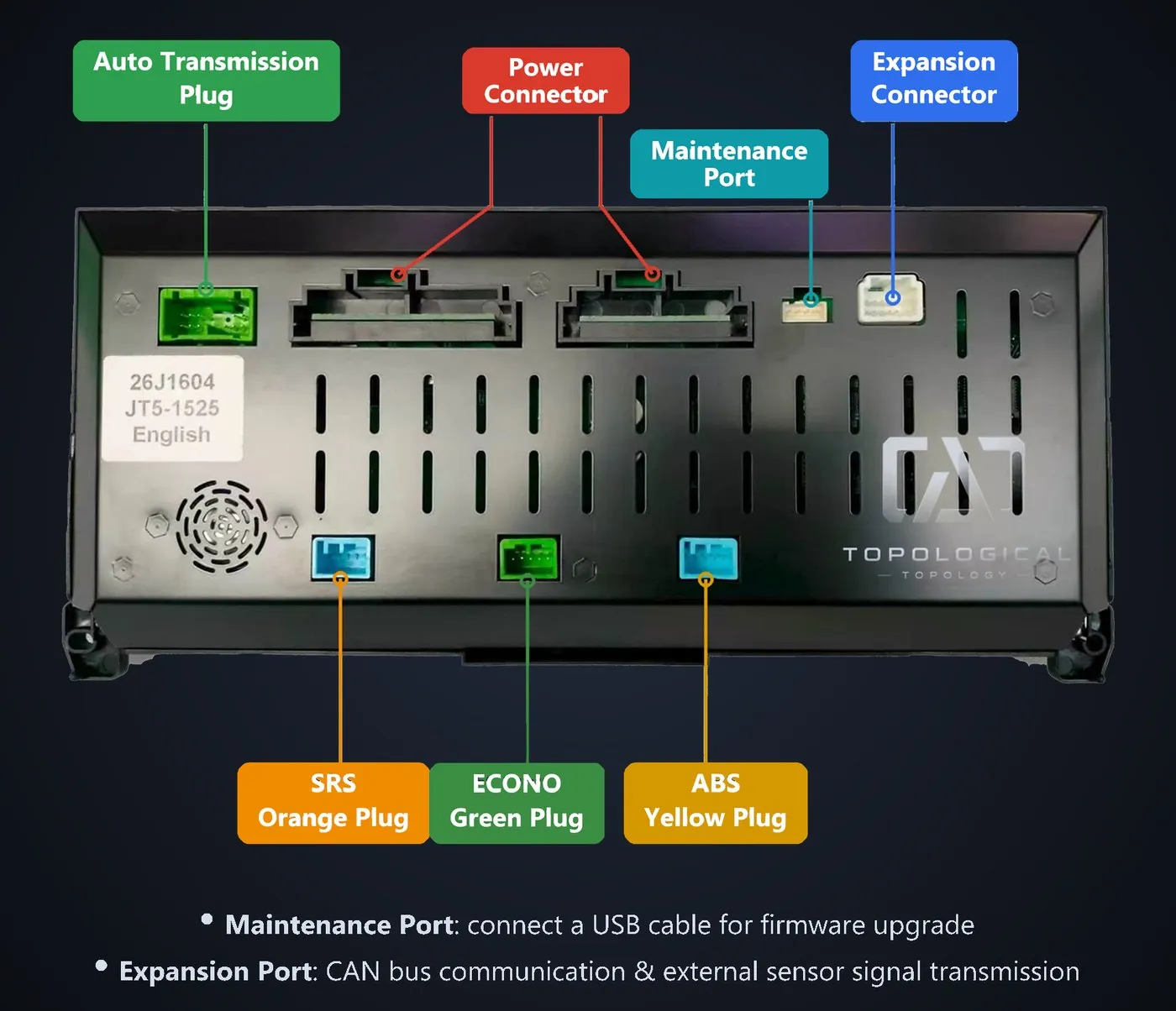
The diagram is labeled in English and matches plugs by color. Left to right: automatic transmission plug, power plug, service port (USB firmware), expansion port (CAN bus and external sensor signals), SRS orange plug, ECONO green plug, ABS yellow plug. Check it against your harness before plugging anything in.
| Connector | What it carries |
|---|---|
| Power plug | Factory power input |
| Automatic transmission plug | Transmission signal on auto cars |
| SRS orange plug | Airbag system signal |
| ECONO green plug | Eco mode signal |
| ABS yellow plug | ABS wheel speed signal |
| Service port | USB cable, for firmware updates |
| Expansion port | CAN bus and external sensor signals |
The positions line up with the factory plugs one-to-one. They go straight in — no cutting, no jumper wires.
Installation Steps
Section titled “Installation Steps”- Kill the power. Ignition off, disconnect the negative battery terminal, wait 3 minutes.
- Pull the surround. Work the trim tool in along the bottom edge and pop the clips one at a time.
- Unplug the factory cluster. Press the release tab on each plug before pulling — don’t pull on the wires.
- Plug in the new cluster. Match each plug by color and position. A click means it’s latched.
- Power up and check. Reconnect the battery and check RPM, speed, coolant temp, fuel level, gear, and the ABS and SRS warnings.
- Set the scales. In the settings menu, set the tachometer top, speed limit, fuel gauge direction and language for this car.
- Refit the surround. Listen for rattles, check the gaps.
Adding the Power Wire
Section titled “Adding the Power Wire”Factory harnesses come two ways: some already carry the cluster power wire, some don’t. It’s one wire. Look at the plug before you start cutting anything.
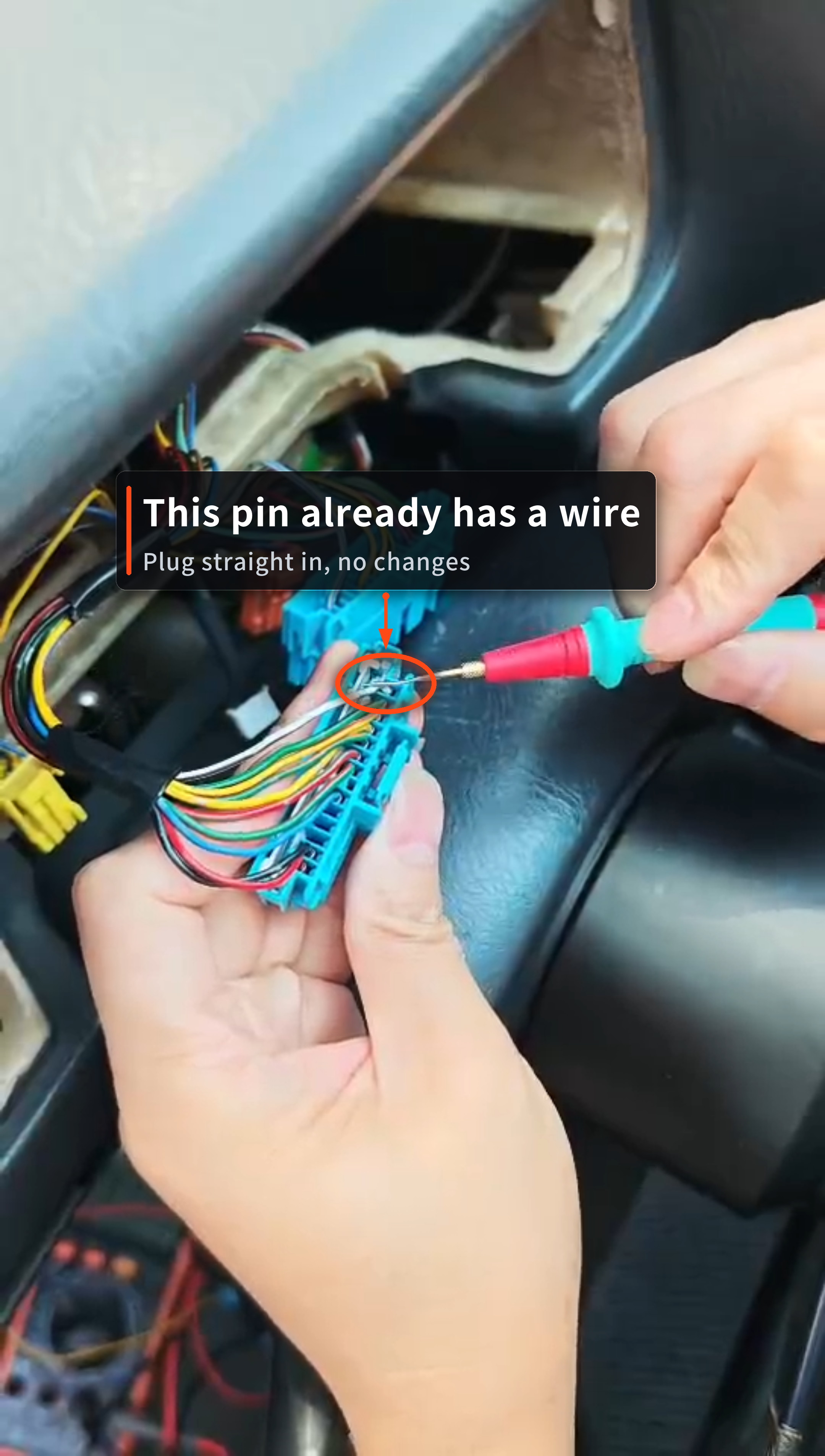
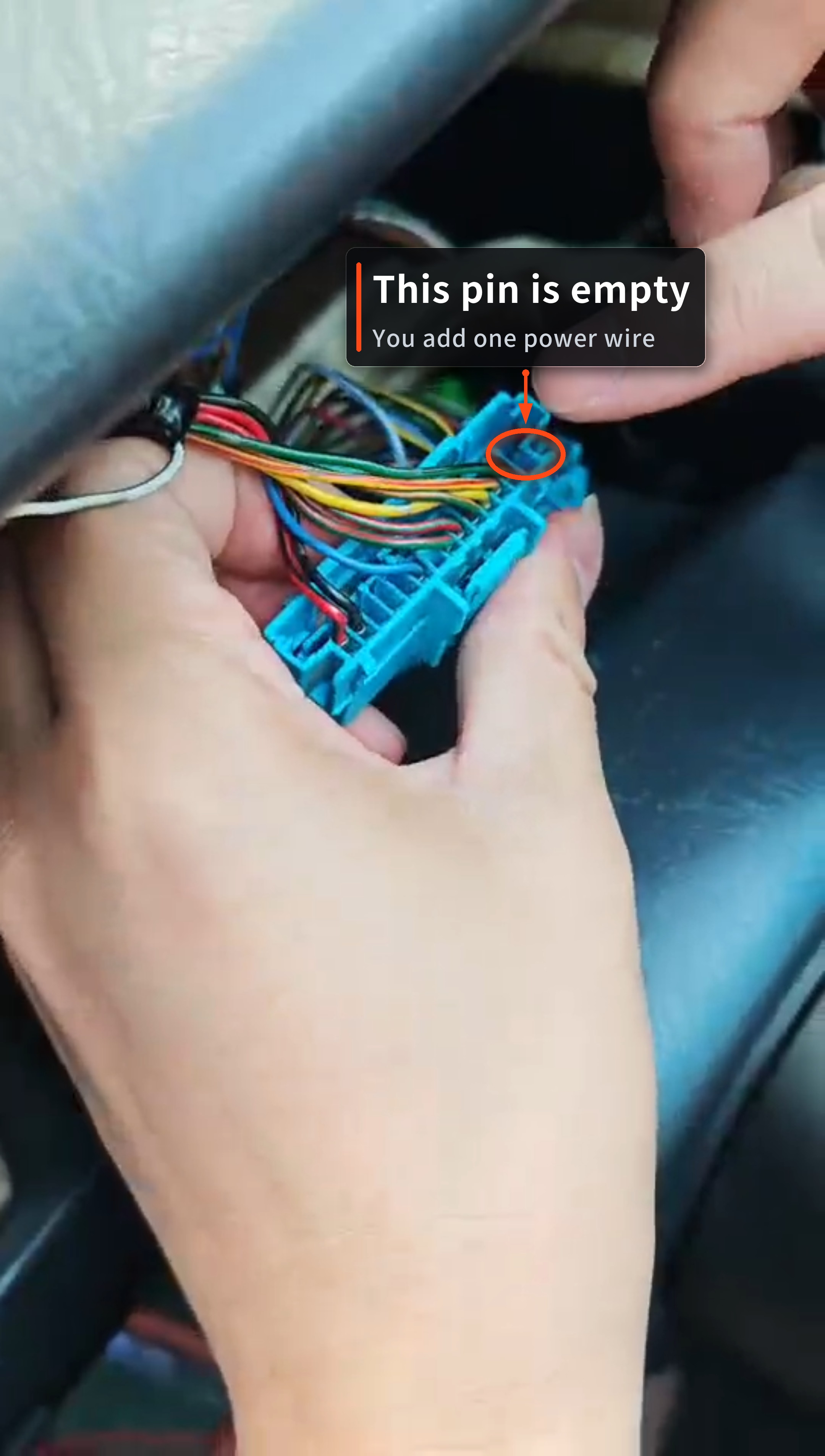
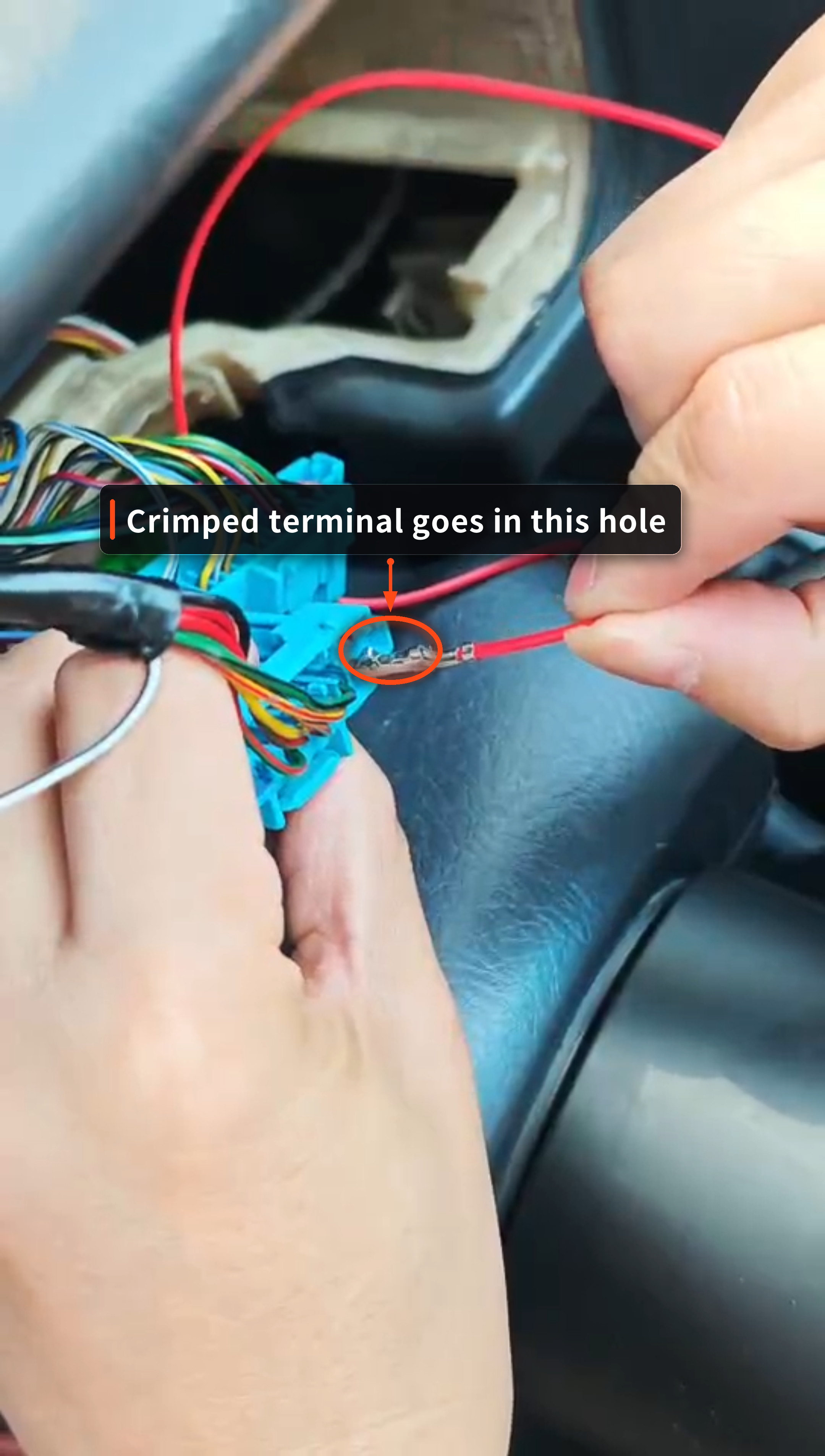
How to add it:
- Crimp a terminal on one end, push it into the empty cavity on the plug until it seats, then tug it lightly to confirm it’s locked.
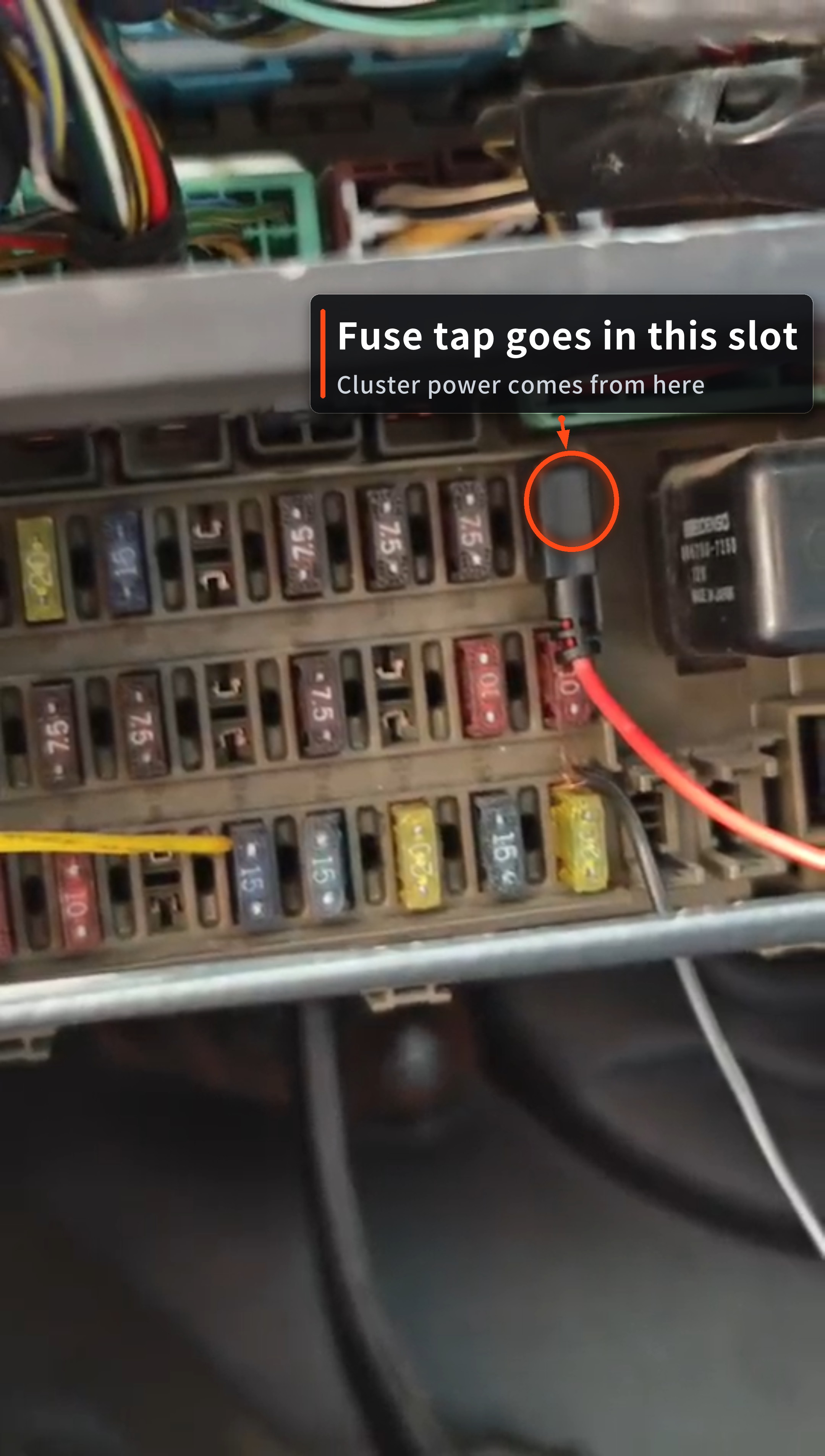
- Run the other end to the fuse box in the lower left of the driver’s footwell, and take power from a spare fuse slot with a fuse tap.
- Before powering up, meter it once to confirm the voltage, then plug the cluster in.
Nothing lights up after power-up
Section titled “Nothing lights up after power-up”Check the power plug and the ground first, then make sure the plug is latched all the way in. If the harness checks out and it’s still dead, contact support and send the serial number off the back.
RPM or speed doesn’t move
Section titled “RPM or speed doesn’t move”Check that the expansion port is seated. On an automatic, also confirm the transmission plug is connected.
ABS or SRS light stays on
Section titled “ABS or SRS light stays on”That plug isn’t seated, or it’s in the wrong way. Power down, reseat it, confirm the latch, then power up.
Fuel gauge reads backwards
Section titled “Fuel gauge reads backwards”Flip the fuel gauge direction in the settings menu. Left-hand and right-hand drive cars have the tank on different sides.
Too bright at night
Section titled “Too bright at night”Turn the night backlight down in the settings menu.
Warranty
Section titled “Warranty”12 months from delivery. Damage caused by installation isn’t covered — have an authorized shop do the work.